Scroll down

3dEYE Video Management System Overview

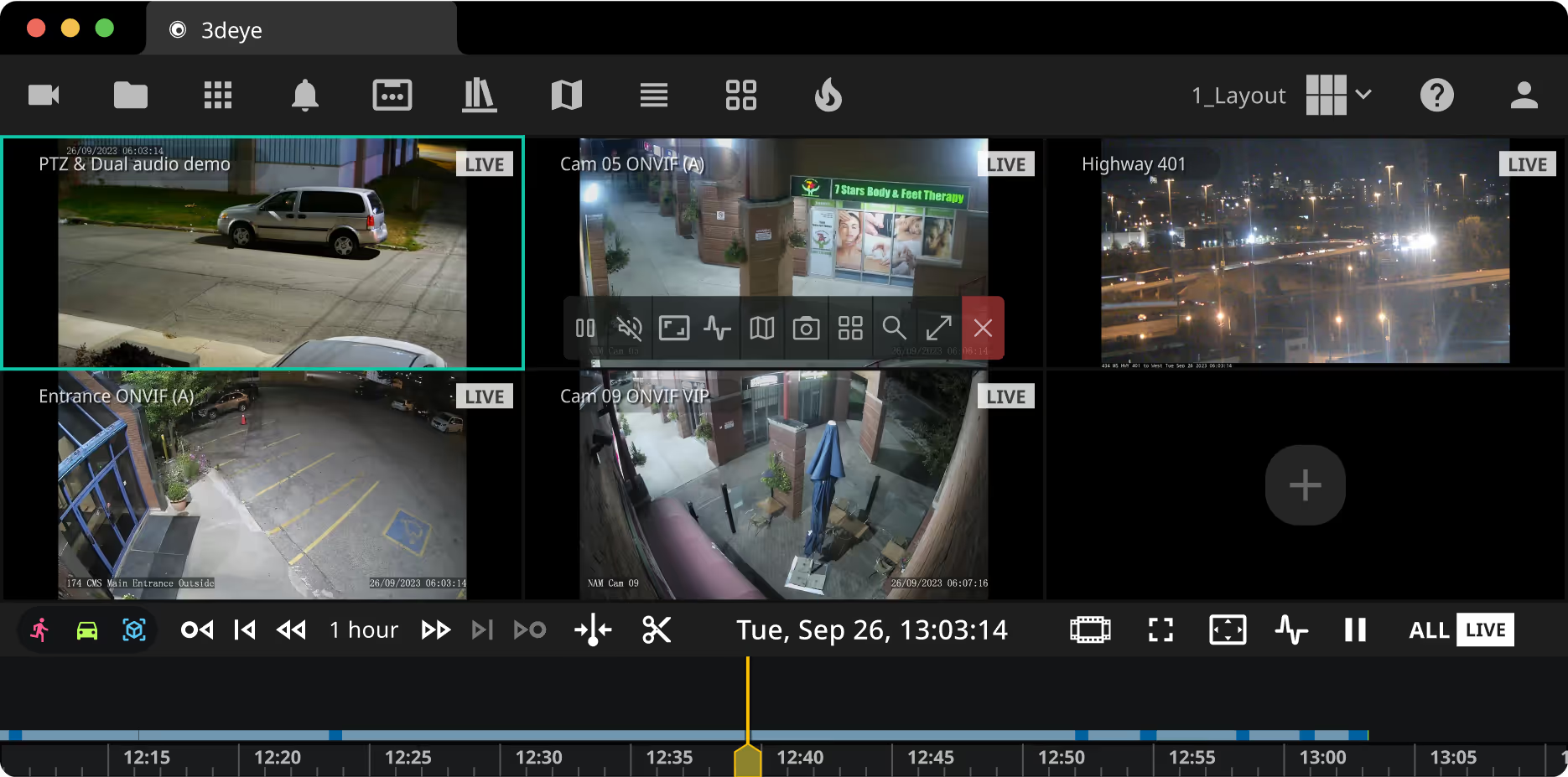
Discover the 3dEYE Video Portal — your cloud video management system designed for enterprise-grade surveillance. As the central hub of the 3dEYE Pure Cloud Platform, this VMS provides an intuitive interface to manage IP cameras across multiple sites. Navigate camera controls, access AI-powered analytics events, manage clips and timelines, and explore functionalities designed to optimize your video surveillance management. From customizable layouts and area search tools to precise timeline navigation, the 3dEYE Video Portal empowers integrators to efficiently manage video assets at any scale.


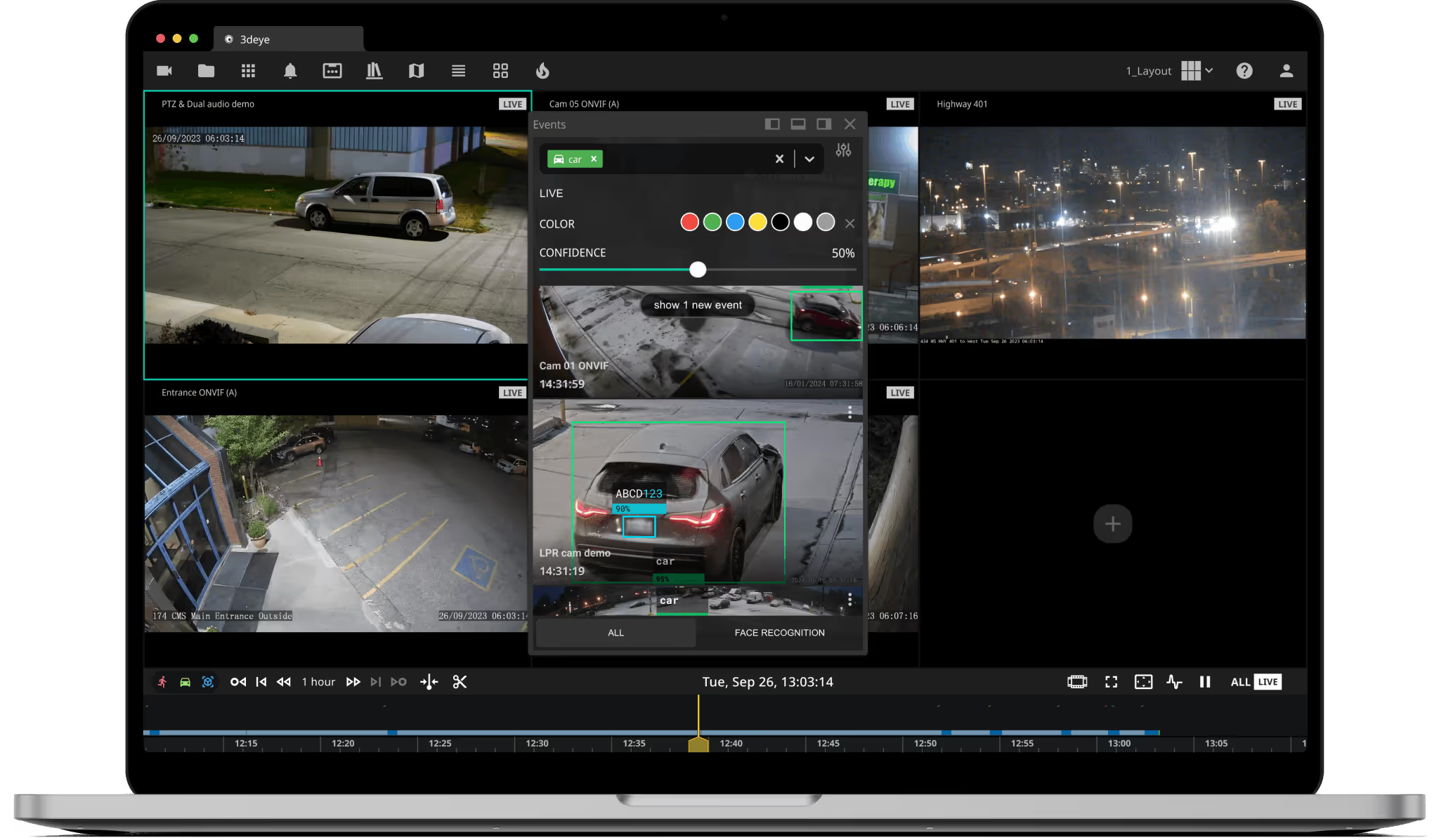
MacBook mockup

Video Management Software
Features & Tools

3deye video portal ui cameras panel3deye video portal ui groups panel3deye video portal ui event filter panel3deye video portal ui library panel3deye video portal ui map  panel3deye video portal ui layout panel3deye video portal ui thumbnail grid panel3deye video portal ui heatmap panel3deye video portal ui custom layout panel

Connected Camera Menu

View and filter connected cameras by status (Active, PTZ, Offline) for effortless access and management.


Organize and access cameras efficiently by typing group names or categories.


AI Analytics & Events Menu

Activate cloud-based analytics, view detected events, and access face and license plate recognition results with advanced search filters.


Store, search, share, download, rename, and delete clips and time-lapses efficiently within the library section.


Visualize camera locations on a map, preview cameras, open in full screen, or add to layout cells.


Set up automatic layout change sequences effortlessly by adding layouts and cameras using a drag-and-drop method.


Access snapshots from archived footage to rapidly find specific events or moments with the Thumbnail Grid function.


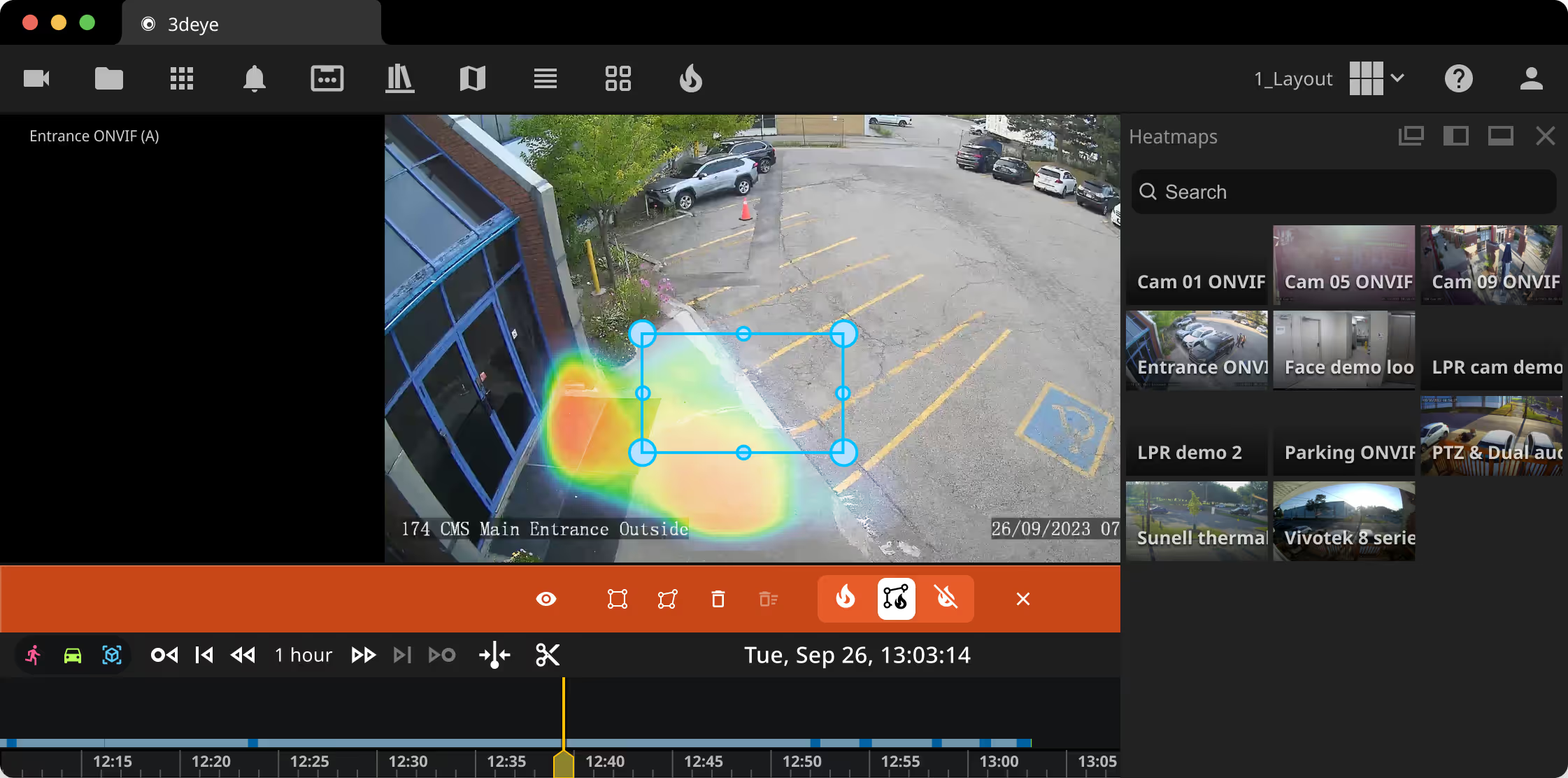
Estimate areas of high traffic using visual heatmaps (requires Object Detection enabled for at least one camera).


Layout Menu

Change, customize, and save layouts for future use and preferences for different sites or operators.


Movement Tracking with Area Search Tool

Locate and track movements within designated areas effortlessly with Area Search Tool.


Simplified Navigation

Drag and Drop from Menu Events to simplify your navigation and event tracking process.


Educational Resources & Demos

Access video tutorials for assistance or ask our sales team for a live demo


Support

Frequently Asked Questions

Everything you need to know about the  3dEYE cloud video portal
Are there any additional costs for updates or new features added to the Video Portal?

No, updates and new features are part of our service offering. You’ll have access to all updates and improvements as part of your monthly subscription.

Are there any limitations on the number of cameras I can connect to the Video Portal?

No. Our enterprise video management platform is highly scalable — you can connect and manage an unlimited number of IP cameras, allowing flexibility as your surveillance needs grow.

You can also activate cloudbased AI analytics on a per-camera basis whenever needed.

Can I access historical data and past events easily through the Video Portal?

Yes, you can access the video footage to the extent your camera subscription plan allows.

Can I customize the Video Portal according to specific user roles within my organization?

Yes, our platform offers customizable access control and user management features, allowing you to assign roles and permissions based on user responsibilities.

Can I integrate existing surveillance systems with your Video Portal?

Absolutely. Our video management software supports integration with a wide range of IP video and surveillance systems to ensure seamless compatibility and enhanced functionality.

You can use our API and web client SDK at no additional cost for integration tasks.

Does the Video Portal support remote monitoring?

Absolutely. Our platform enables remote monitoring, allowing you to access live feeds and archived footage from anywhere with an internet connection. Please review our Alarm Monitoring Portal page for more information here

How does the Admin Portal differ from the Video Portal?

In short, the Admin Portal is primarily for system setup, configurations, and account management, while the Video Portal serves as your video management system — the interface where end-users access live and recorded camera feeds, review analytics events, and manage their surveillance footage.

How secure is the Video Portal for storing sensitive footage?

Security is our priority. We employ robust encryption methods and stringent access controls to safeguard all video footage stored within the Video Portal.

Is the Video Portal accessible from various devices?

Yes, our Video Portal is designed to be accessible across multiple web browsers and devices like PCs, laptops, tablets, and smartphones for your convenience.

Is the Video Portal compliant with industry standards for data protection and privacy?

Absolutely. We adhere to industry-standard protocols and regulations to ensure data protection and privacy compliance for all users.

Is there support available for troubleshooting or assistance with using the Video Portal?

Yes, we provide comprehensive support services, including troubleshooting guides, FAQs, and dedicated customer success, ensuring you get prompt assistance whenever needed.

Still have questions?
Please access our comprehensive Knowledge Base to obtain detailed information on how to set up, troubleshoot and leverage Video Portal.
Technology Partners