AI動画管理・分析向けカスタマイズ可能管理者ポータル

統計情報の監視、ユーザーとカメラの管理、カスタマイズ可能なAIレポートおよびシステム状態ダッシュボードへのアクセスを、AIビデオ分析機能の組み込まれた一元化されたプラットフォームで実現します。
MacBook mockupMacBook mockupMacBook mockup

強力な機能と性能

MacBook mockup MacBook mockup
MacBook mockup
MacBook mockup
MacBook mockup

AI分析・レポートダッシュボード

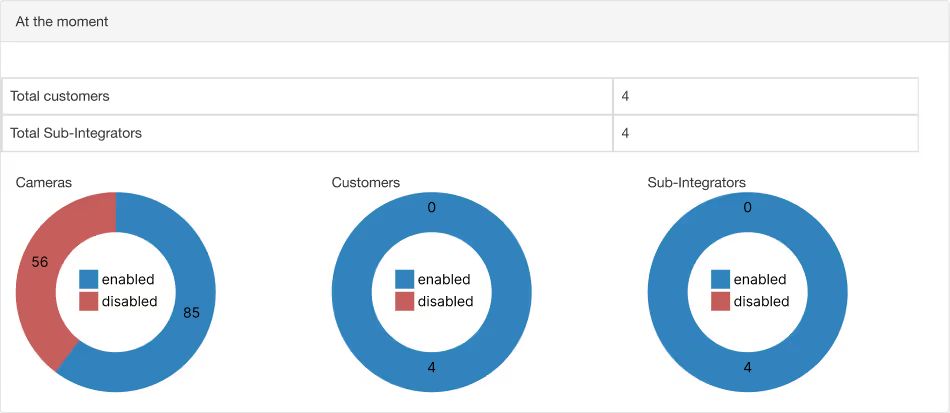
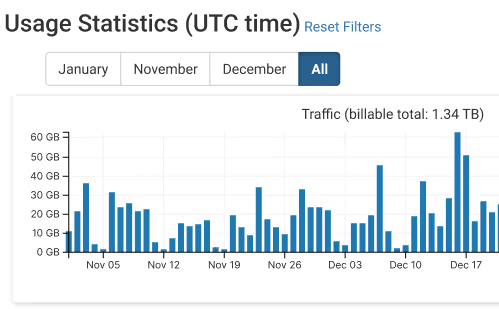
アカウント全体の統計情報にアクセスし、選択した任意の日付範囲のデータを表示できます。カスタマイズ可能なレポートダッシュボードでは、過去3ヶ月間のカメラ別および全体的なストレージ、トラフィック、クリップ時間のグラフィカルな内訳を確認できます。これは、AI映像解析プラットフォームに期待される分析ビューです。


顧客管理

顧客およびサブインテグレーターへのアクセス、変更、管理を簡単に行うことができます。



ロール管理

運用、営業、および請求管理者の役割を特定、管理、および設定します。


カメラ/IoT設定

カメラやIoTデバイスの追加、割り当て、トラブルシューティング、管理を行います。


アラートのカスタマイズ

AIベースの重大イベントアラートを作成、スケジュール、および設定し、メールまたはプッシュ通知で受信できます。


包括的なログ

詳細なログをレビューして、マネージャーおよびインテグレーターの活動を監視します。


APIキーアクセス

インテグレーターや顧客向けのユニークなAPIキーを管理し、統合アセットへのきめ細かいアクセス権を制御します。


ユーザープロファイルの変更

ユーザー資格情報の変更、パスワードの管理、MFAの有効化/無効化を行います。


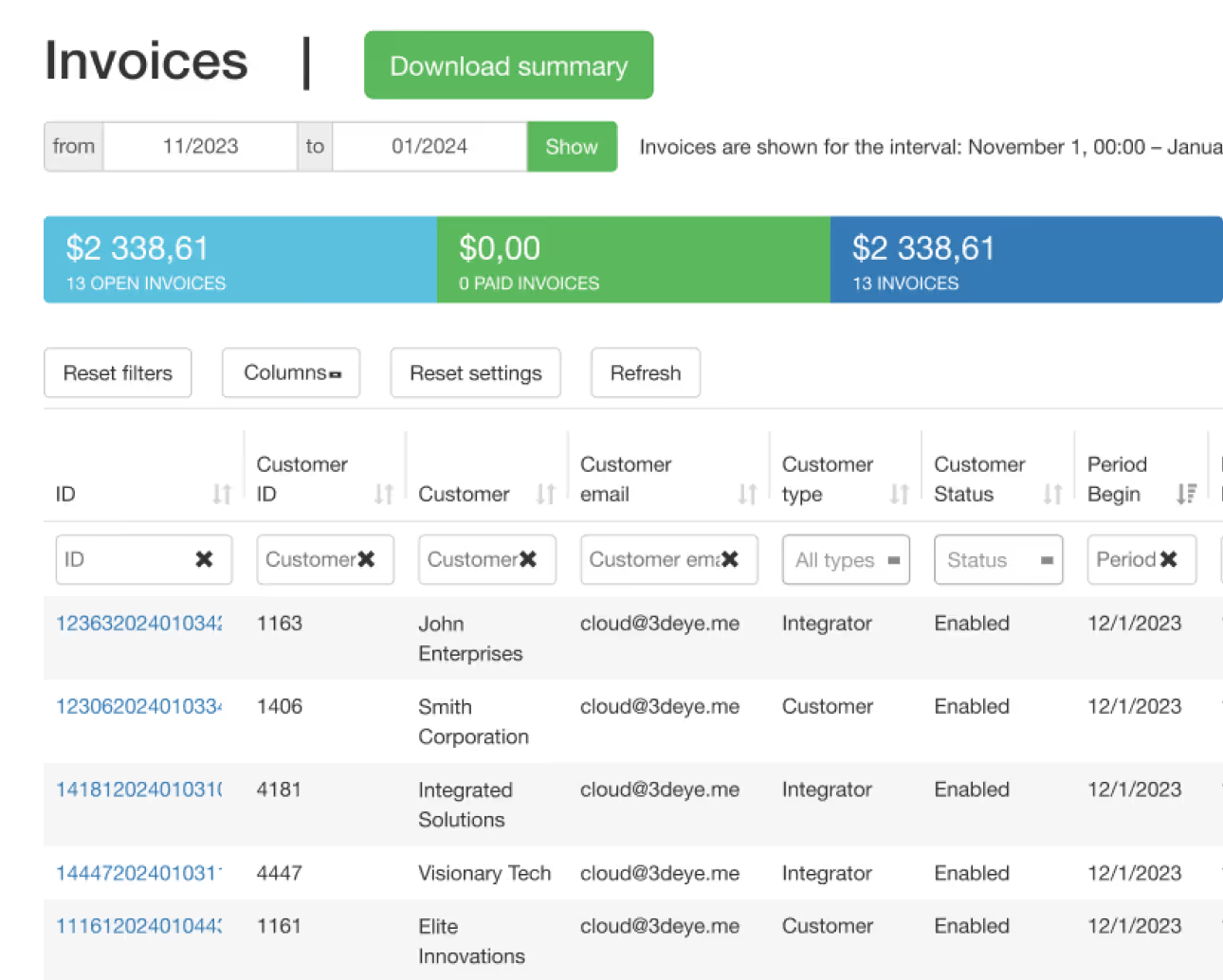
請求

プラットフォームの管理ポータルからアクセスできる課金ポータルで、月次定期収益を管理するための包括的な請求情報にアクセスできます。


サポート

よくあるご質問

について知っておくべきすべてのこと3dEYE 管理ポータル
Are there additional costs for updates or new features in the Admin Portal?

No, updates and new features within the Admin Portal are typically included in the service without additional costs. Our commitment involves continuous enhancements and improvements for a seamless user experience.

Are there limitations on the number of cameras connected to the Admin Portal?

No, there are no limitations, any number of cameras and IoT devices can be added to 3dEYE Pure Cloud Video, AI and automation platform.

Can historical data and past events be accessed easily through the Admin Portal?

Yes, historical data is easily accessible through the Admin Portal logs.

Can user roles within organizations be customized within the Admin Portal?

Absolutely, the Admin Portal allows customization of user roles within organizations. Users can be assigned specific permissions and access levels to devices, features and portals tailored to their roles and responsibilities.

Is troubleshooting and support available for the Admin Portal?

Yes, troubleshooting is available as a separate tab in your Admin Portal, and comprehensive support is available as well. Our dedicated support team provides assistance to address queries, issues, or technical concerns promptly.

How does the Admin Portal differ from the Video Portal?

In short the Admin Portal is primarily for system setup, configurations, and account management, while the Video Portal is for end-users to access, view, and manage camera feeds, recordings, and analytics.

Is the Admin Portal accessible across various devices?

Yes, the Admin Portal is designed to be accessible across multiple devices, offering compatibility and usability across various platforms such as desktops, laptops, tablets, and smartphones.

How secure is the Admin Portal for storing sensitive surveillance footage?

The Admin Portal serves as a management tool for all of the sub-integrators and customers you host on your account, but it doesn’t contain video archives. The Admin Portal ensures robust security measures to safeguard sensitive account information. It employs industry-standard encryption protocols and follows stringent security practices to protect data, ensuring confidentiality and integrity.

ご不明な点がありますか?
管理者ポータルの設定方法、トラブルシューティング、および活用方法に関する詳細情報については、当社の包括的なナレッジベースをご覧ください。
テクノロジーパートナー