下にスクロール

3dEYE ビデオ管理システム(VMS)の概要

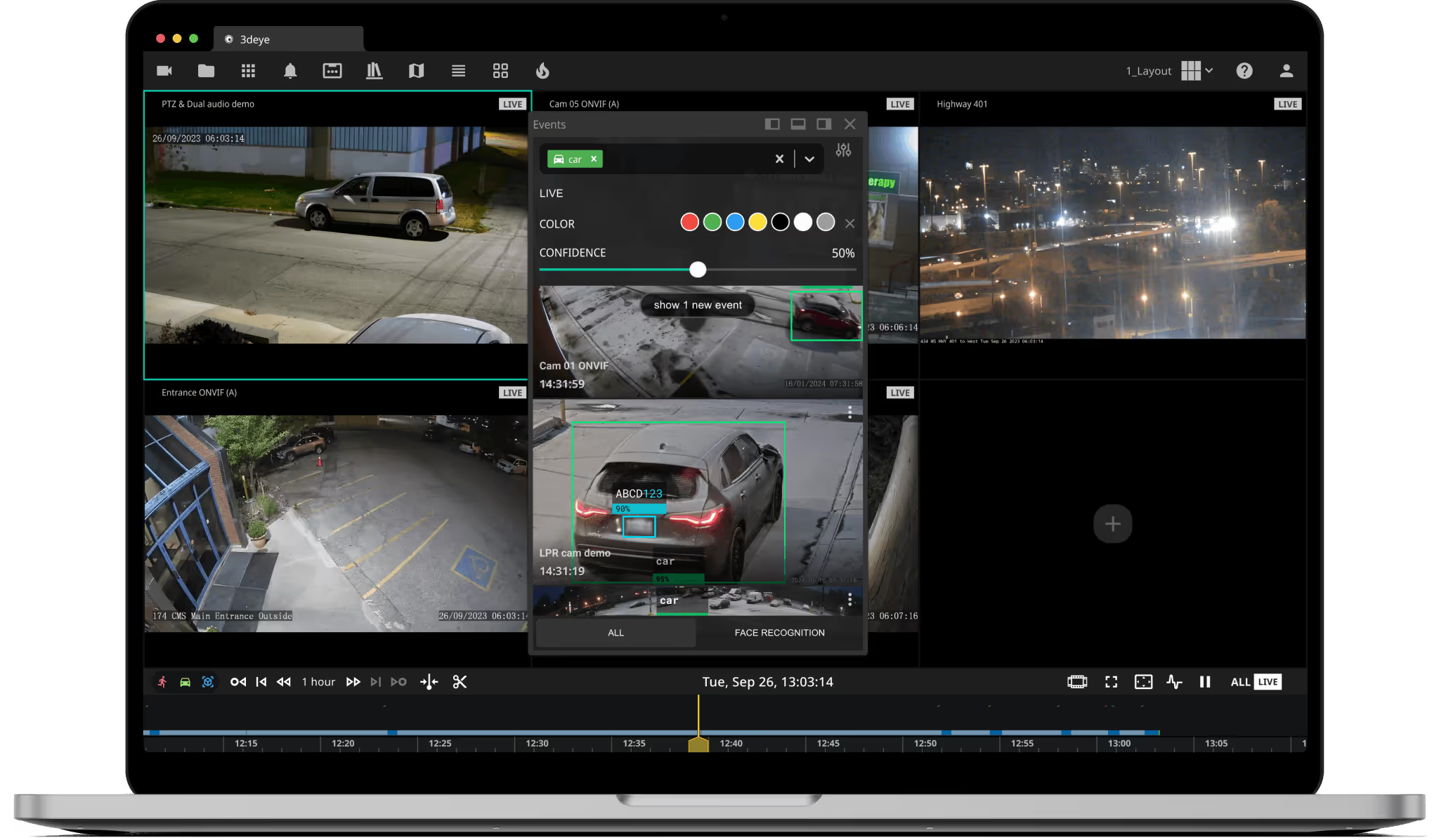
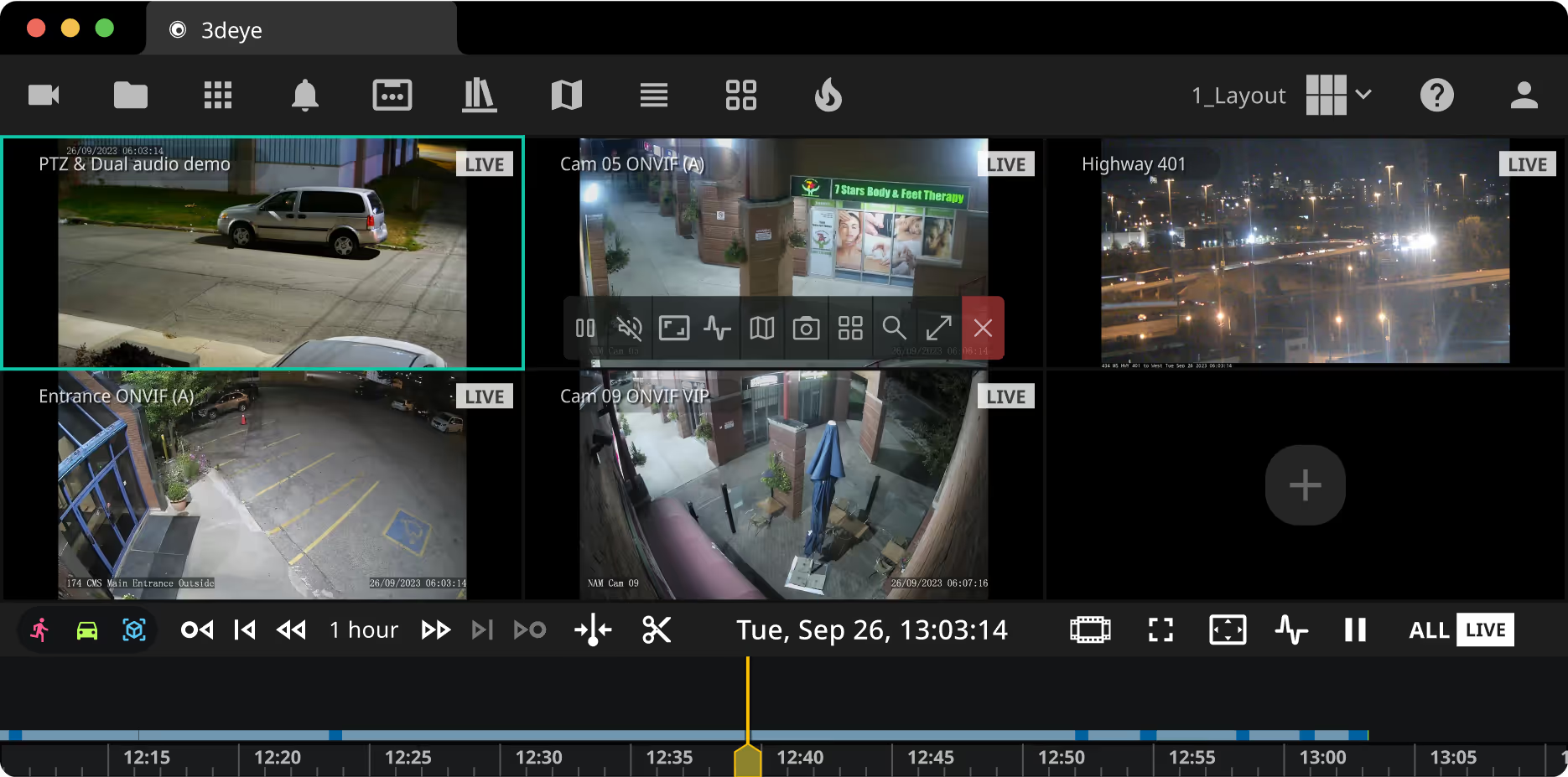
3DEYE ビデオポータルを発見してください。エンタープライズグレードの監視向けに設計されたクラウド映像管理システムです。3dEYEピュアクラウドプラットフォームの中心ハブとして、このVMSは複数の拠点にわたるIPカメラを管理するための直感的なインターフェイスを提供します。カメラコントロールの操作、AIを活用した分析イベントへのアクセス、クリップやタイムラインの管理、そしてビデオ監視管理を最適化するために設計された機能の探索を行うことができます。カスタマイズ可能なレイアウトやエリア検索ツールから、正確なタイムラインナビゲーションに至るまで、3dEYE ビデオポータルは、インテグレーターがあらゆる規模のビデオ資産を効率的に管理できるように支援します。
MacBook mockup

ビデオ管理ソフトウェア
機能とツール

3deye video portal ui cameras panel3deye video portal ui groups panel3deye video portal ui event filter panel3deye video portal ui library panel3deye video portal ui map  panel3deye video portal ui layout panel3deye video portal ui thumbnail grid panel3deye video portal ui heatmap panel3deye video portal ui custom layout panel

接続済み カメラメニュー

接続されたカメラをステータス(アクティブ、PTZ、オフライン)で表示・フィルタリングし、簡単にアクセスして管理できます。


グループ名やカテゴリを入力して、カメラを効率的に整理・アクセスできます。


AIアナリティクス & イベントメニュー

クラウドベースの分析機能の有効化、検出されたイベントの表示、および高度な検索フィルターを使用した顔および車いす/ナンバープレート認識結果へのアクセス。


ライブラリセクション内で、クリップやタイムラプスを効率的に保存、検索、共有、ダウンロード、名前変更、削除できます。


マップ上のカメラ位置の可視化、カメラのプレビュー、全画面表示、またはレイアウトセルへの追加を行います。


ドラッグ&ドロップ操作でレイアウトやカメラを追加し、自動レイアウト切替のシーケンスを簡単に設定できます。


サムネイルグリッド機能を使用すると、アーカイブされた映像からスナップショットにアクセスし、特定のイベントや瞬間を素早く見つけることができます。



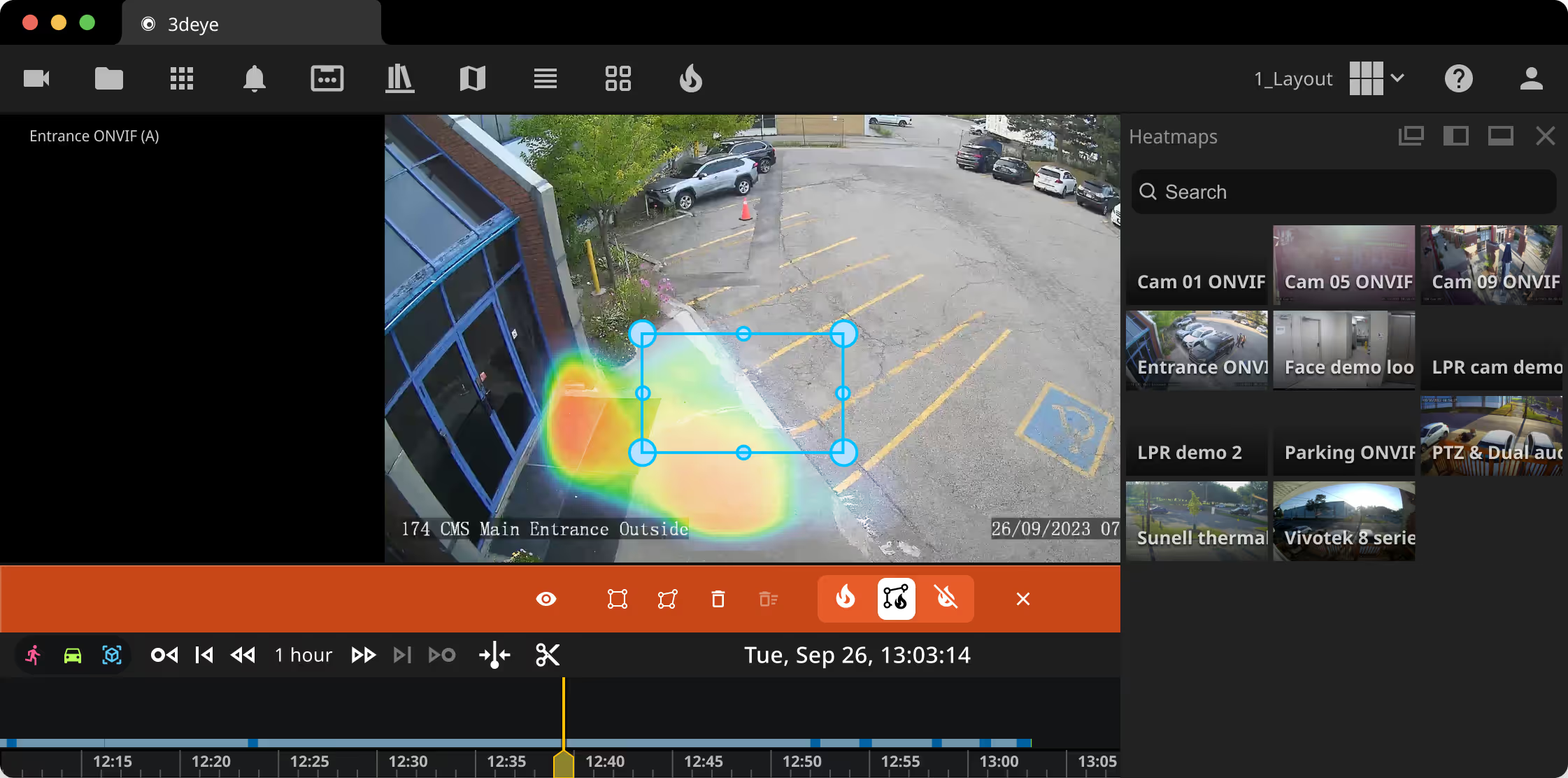
ビジュアルヒートマップを使用して高トラフィックエリアを推定します(少なくとも1台のカメラでオブジェクト検出が有効になっている必要があります)。


レイアウトメニュー

サイトやオペレーターごとに、今後の使用や好みに合わせてレイアウトを変更、カスタマイズ、保存できます。


エリア検索ツールによる動体追跡

指定エリア内の動きを簡単に検出し、追跡: エリア検索ツール


シンプル化されたナビゲーション

メニューイベントからドラッグ&ドロップ ナビゲーションとイベント追跡のプロセスを簡素化するために。


教育リソースとデモ

アクセス ビデオチュートリアル サポートが必要な場合、またはお問い合わせはこちら 営業チームにライブデモを依頼する


サポート

よくあるご質問

について知っておくべきすべてのこと3dEYE クラウドビデオポータル
Are there any additional costs for updates or new features added to the Video Portal?

No, updates and new features are part of our service offering. You’ll have access to all updates and improvements as part of your monthly subscription.

Are there any limitations on the number of cameras I can connect to the Video Portal?

No. Our enterprise video management platform is highly scalable — you can connect and manage an unlimited number of IP cameras, allowing flexibility as your surveillance needs grow.

You can also activate cloudbased AI analytics on a per-camera basis whenever needed.

Can I access historical data and past events easily through the Video Portal?

Yes, you can access the video footage to the extent your camera subscription plan allows.

Can I customize the Video Portal according to specific user roles within my organization?

Yes, our platform offers customizable access control and user management features, allowing you to assign roles and permissions based on user responsibilities.

Can I integrate existing surveillance systems with your Video Portal?

Absolutely. Our video management software supports integration with a wide range of IP video and surveillance systems to ensure seamless compatibility and enhanced functionality.

You can use our API and web client SDK at no additional cost for integration tasks.

Does the Video Portal support remote monitoring?

Absolutely. Our platform enables remote monitoring, allowing you to access live feeds and archived footage from anywhere with an internet connection. Please review our Alarm Monitoring Portal page for more information here

How does the Admin Portal differ from the Video Portal?

In short, the Admin Portal is primarily for system setup, configurations, and account management, while the Video Portal serves as your video management system — the interface where end-users access live and recorded camera feeds, review analytics events, and manage their surveillance footage.

How secure is the Video Portal for storing sensitive footage?

Security is our priority. We employ robust encryption methods and stringent access controls to safeguard all video footage stored within the Video Portal.

Is the Video Portal accessible from various devices?

Yes, our Video Portal is designed to be accessible across multiple web browsers and devices like PCs, laptops, tablets, and smartphones for your convenience.

Is the Video Portal compliant with industry standards for data protection and privacy?

Absolutely. We adhere to industry-standard protocols and regulations to ensure data protection and privacy compliance for all users.

Is there support available for troubleshooting or assistance with using the Video Portal?

Yes, we provide comprehensive support services, including troubleshooting guides, FAQs, and dedicated customer success, ensuring you get prompt assistance whenever needed.

ご不明な点がありますか?
包括的なナレッジベースにアクセスして、ビデオポータルの設定、トラブルシューティング、および活用方法に関する詳細な情報をご確認ください。
テクノロジーパートナー