





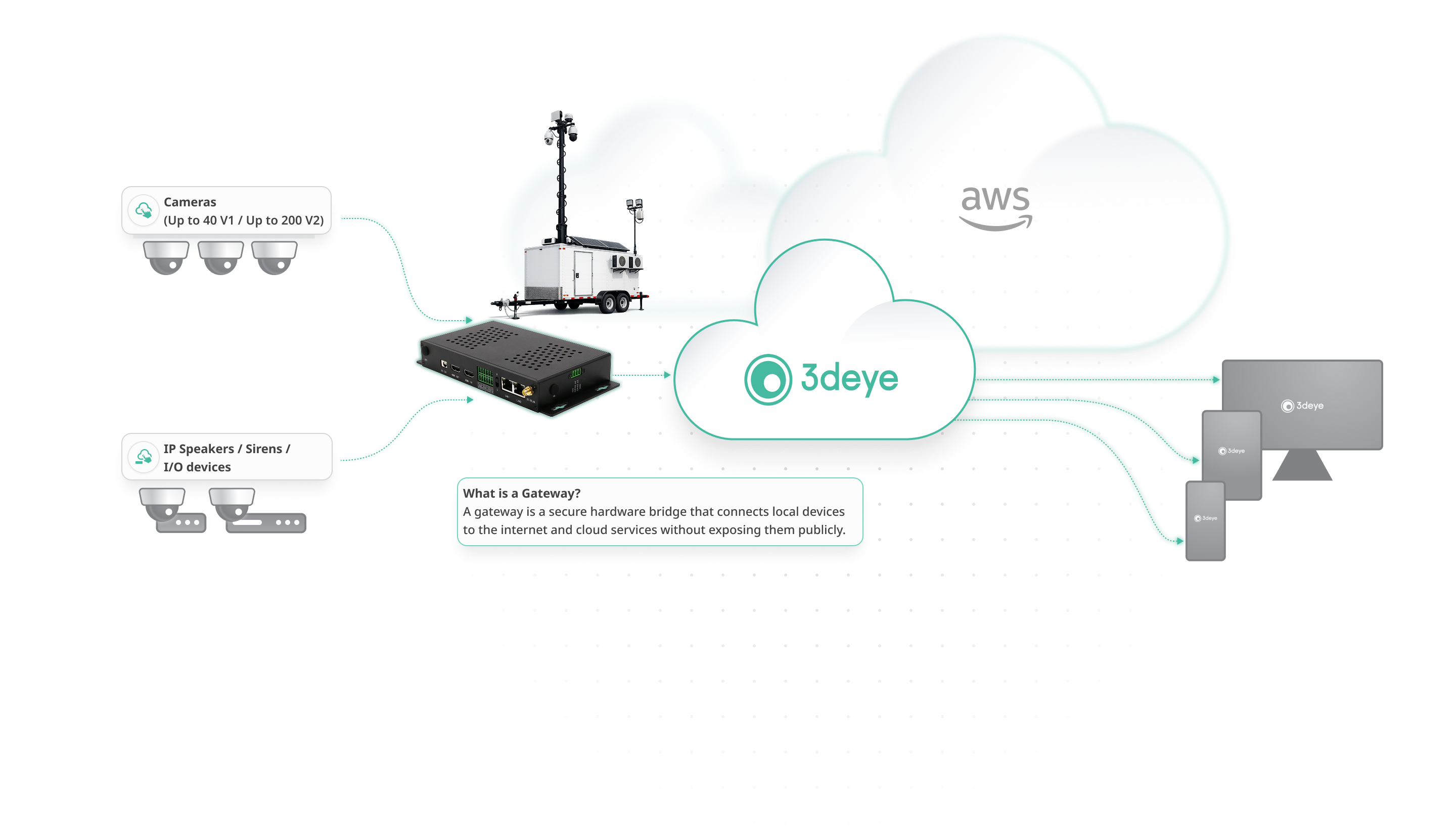
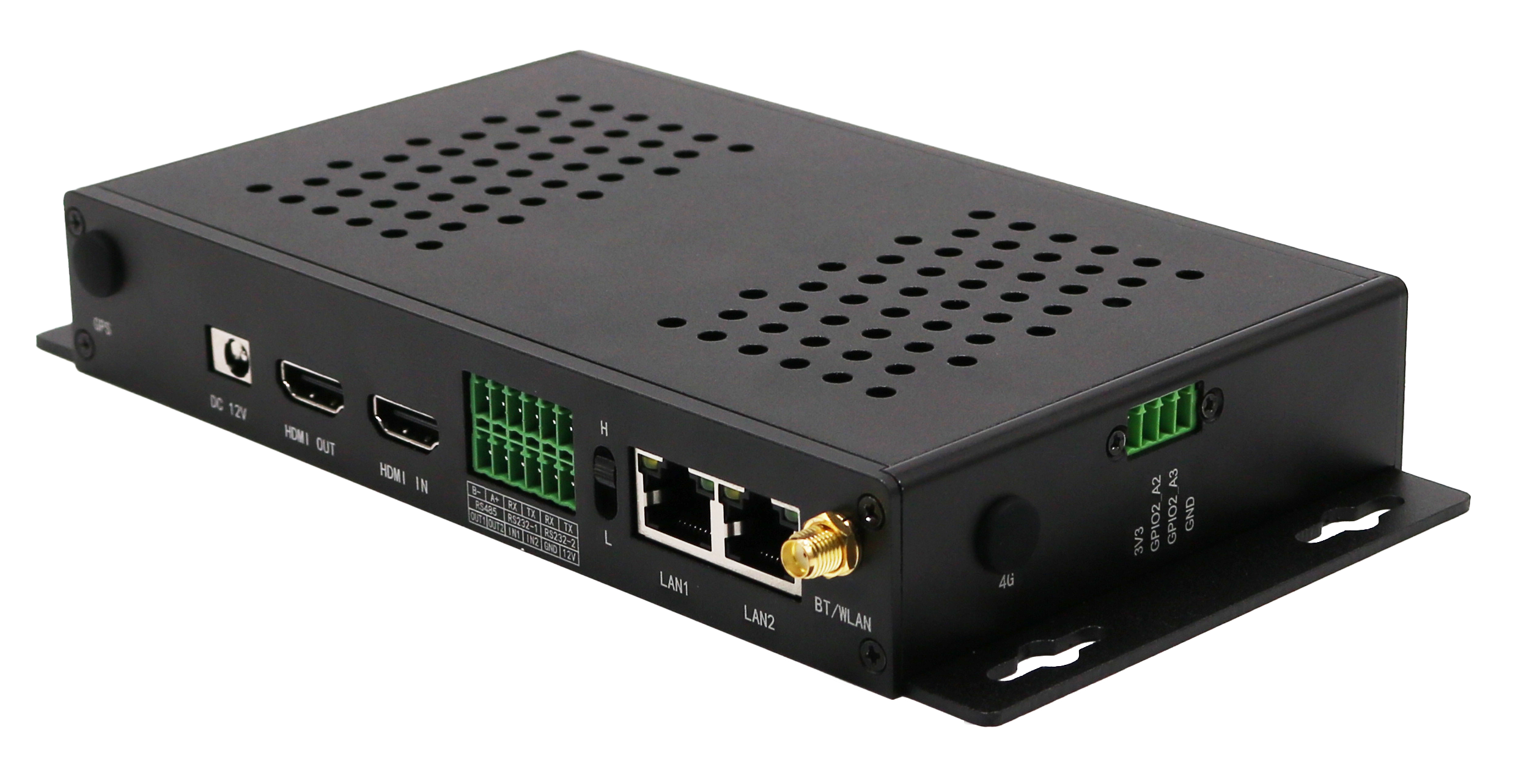

*カメラの対応台数は、解像度、フレームレート、ビットレート、分析ワークロード、およびネットワーク環境によって異なります。
*Gateway容量の決定
ご相談ください support@3deye.ai 特定のユースケースに適した正確なGateway容量を決定するために、
*Gateway容量の決定
ご相談ください support@3deye.ai 特定のユースケースに適した正確なGateway容量を決定するために、

3DEYEの持つ機能性と優れた操作性は、製造業、インフラ、小売分野における主要顧客の獲得において、私たちの大きな競争優位性となっています。


3DEYEが開発したイノベーションのおかげで、私たちはブラジルのビデオ監視市場において非常に高い競争力を持っています。3dEYE社が期待を裏切ったことは一度もなく、常に納期を厳守してくれる信頼できるパートナーです。


3dEYEは、カナダにいながらイスラエル、アメリカ、カリブ海地域の拠点を効率的に管理できる、これまでにないオンラインのクラウドベースのビデオ監視・管理機能を提供します。


初めてお会いした時から、3dEYEプラットフォームの優位性だけでなく、導入、設置、トレーニング、そしてアフターサービスに至るまで最高水準のものになると確信し、安心感を抱くことができました。
3DEYEの持つ機能性と優れた操作性は、製造業、インフラ、小売分野における主要顧客の獲得において、私たちの大きな競争優位性となっています。
3DEYEが開発したイノベーションのおかげで、私たちはブラジルのビデオ監視市場において非常に高い競争力を持っています。3dEYE社が期待を裏切ったことは一度もなく、常に納期を厳守してくれる信頼できるパートナーです。
3dEYEは、カナダにいながらイスラエル、アメリカ、カリブ海地域の拠点を効率的に管理できる、これまでにないオンラインのクラウドベースのビデオ監視・管理機能を提供します。
初めてお会いした時から、3dEYEプラットフォームの優位性だけでなく、導入、設置、トレーニング、そしてアフターサービスに至るまで最高水準のものになると確信し、安心感を抱くことができました。
ONVIFプロトコルを使用してカメラを検発見します。ほとんどのONVIFカメラは自動的に検出されます。自動カメラ検出が失敗した場合でも、カメラのIPアドレスとポートを技術者が把握していれば、手動でカメラを追加するオーバーライド機能が利用できます。
注意:Gatewayにカメラを追加するには、カメラ側でONVIFユーザーが有効になっていることを確認することが重要です。ONVIFユーザーが有効になっていないと、カメラを追加することはできません。Gatewayの「検出(Discovery)」タブでカメラが表示され、アクセスできるように、必ずカメラ側でONVIFユーザーを有効にしてください。
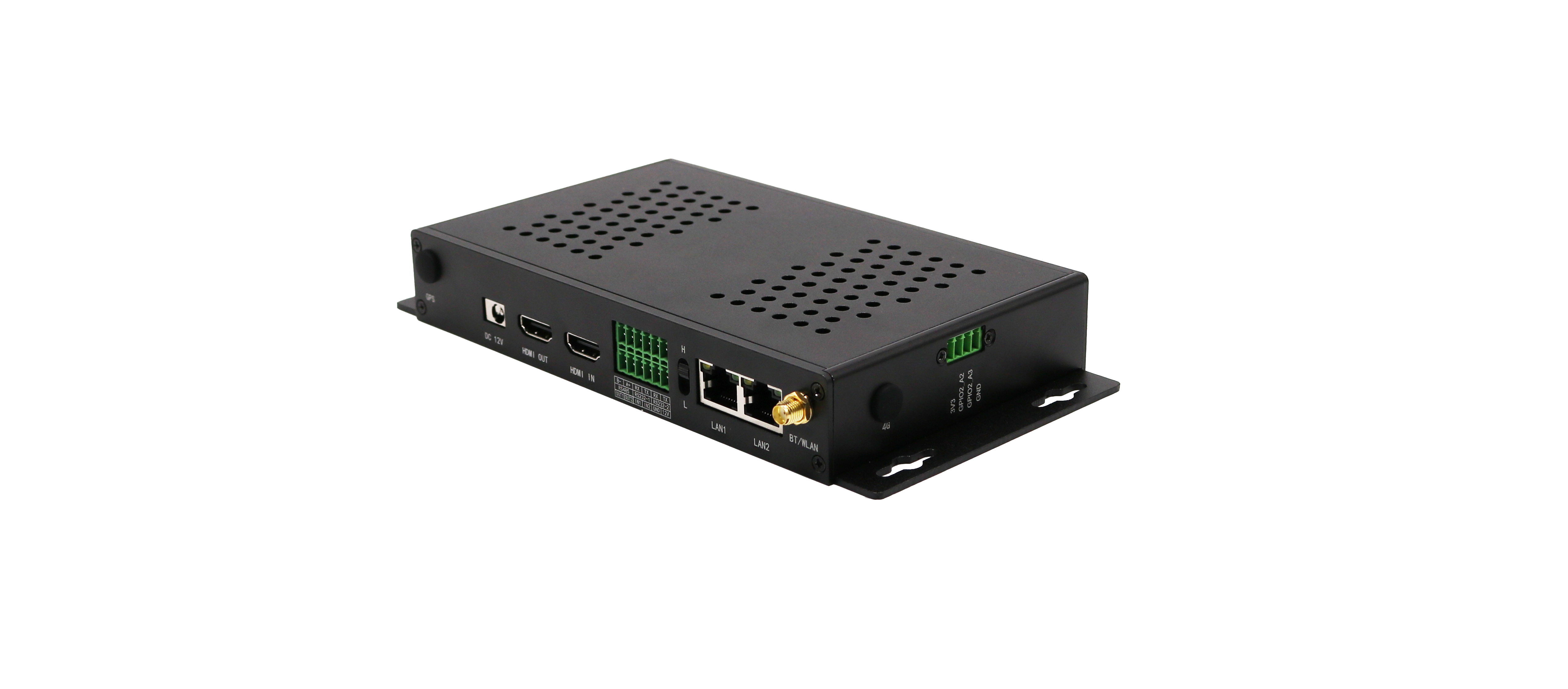
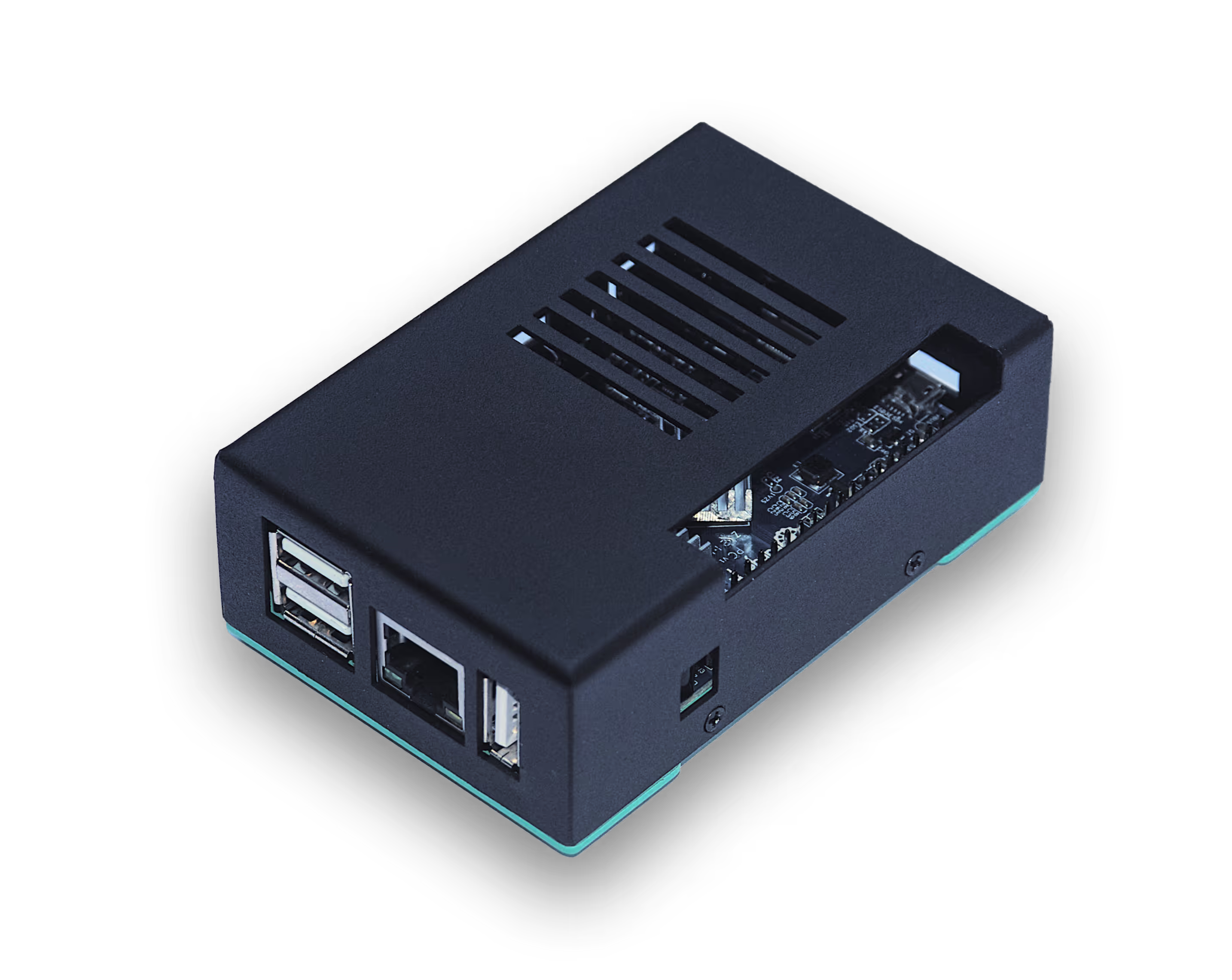
V1本体は非常に小型で、サイズは約9.5cm(長さ)× 6cm(幅)× 2.5cm(高さ)です。ゲートウェイの重量は約100gです。以下にゲートウェイの写真を示しますが、カバーのデザインは異なる場合があることにご注意ください。
唯一の要件は、ゲートウェイとカメラが同じネットワークに接続されていることです。パスワード、時計、イメージセンサーの設定など、カメラの基本的な設定のみを完了する必要があります。また、ローカルネットワーク上にファイアウォールがある場合は、ゲートウェイがローカルネットワーク上のカメラにアクセスするのをブロックするセキュリティ制限がないこと、およびゲートウェイのポート443を通じたアウトバウンドトラフィックが許可されていることを確認してください。カメラのすべてのアウトバウンドおよびインバウンドトラフィックは、必須ではありませんが、必要に応じてブロックすることができます。
既存のカメラをクラウドに接続するための、最も簡単、最速、最も便利で、最も安全な方法です。ゲートウェイを使用すると、ポートフォワーディングを設定することなく、暗号化されたセキュアなトンネルを介してカメラをクラウドに接続できるため、データの最高レベルの安全性と統合の容易さが確保されます。また、ISP(インターネットサービスプロバイダー)によってIPアドレスが変更されたり、ランダムに割り当てられたりした場合でも、ゲートウェイが自動的にクラウドと接続するため、ユーザーがその都度システム上のIPアドレスを更新する必要はありません。
ユーザーはSDカードのバックアップを作成することで、そこからカメラ情報を自動的に復元できるほか、ゲートウェイに障害が発生した場合や新しいゲートウェイデバイスを使用する際にも、そのバックアップを利用することができます。
同時に接続できるデバイスの数は、接続されているカメラの解像度とネットワークのスループットによって異なります。720pの解像度では30〜40台のカメラストリームを同時に接続でき、カメラが4K・3〜4 Mbpsでストリーミングしている場合は1つのゲートウェイ経由で8〜10台のカメラストリームのみ接続可能です。また、1 Mbpsでストリーミングしている場合は20〜25台のカメラ接続が可能です。通常、ほとんどの導入環境において、ネットワークのスループットが制限要因となります。
技術者がゲートウェイをカメラのあるローカルネットワークに接続し、ゲートウェイのWebインターフェイスにアクセスします。Web UIから、同じネットワーク上にあり、ONVIF準拠のすべてのカメラを検出すうことができます。次に、クラウドに追加するカメラを、プラスボタンを使用してゲートウェイに登録する必要があります。ゲートウェイは、カメラの統合プロセスを完了するために、管理ポータルを通じて追加する各カメラの登録コードを提供します。
カメラがすでに設置されている場合、技術設定要員は15〜20分以内に設置場所の出入りを完了できます。ゲートウェイにはソフトウェアがプレインストールされており、電源投入後わずか2分でカメラの検出を開始する準備が整います。必要なのは、安定したインターネット接続と、カメラと同じローカルネットワークへの接続のみです。カメラは自動的に検出され、マウスを1回クリックするだけでゲートウェイに追加されます。その後、追加されたすべてのカメラに対して、ゲートウェイから固有の登録コードが発行されます。ゲートウェイ自社の登録コードを使用して管理者ポータルにカメラとしてゲートウェイを登録し、トラブルシューティングタブの「URLの生成」機能を使用してリモートで設定を完了させることも可能です。